Baoyu Design
From a brief to HTML prototypes and editable canvases
Five design entry points share one repository. Use baoyu-design for interface exploration and HTML prototypes, or choose claude-design for a canvas where you can keep editing copy and styles.
 View original
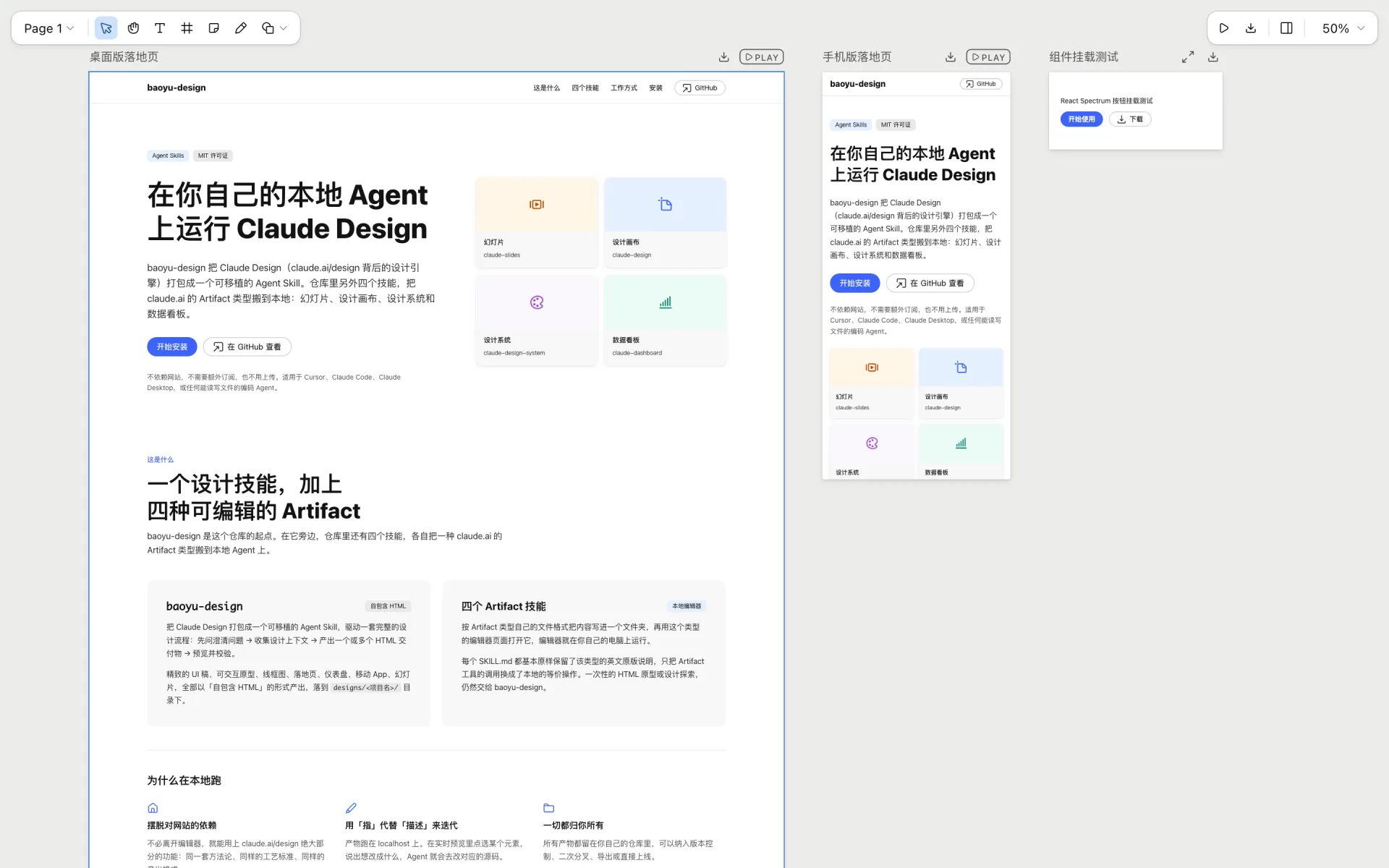
The author's landing page for this repository uses the React Spectrum design system. Desktop and phone pages appear beside a component-mounting example.
Author repositoryThese screenshots come from the author's repository. They show the editor and project organization, not work generated or run by us. The source is MIT-licensed; third-party brands and components retain their own attribution.
Hosts listed by the author
- Claude Code
- Codex
- Cursor
- Claude web & desktop
- GitHub stars
- 5,157
- Version
- 2.0.3
- Checked
Choose the deliverable first
Start with baoyu-design for a clickable web prototype. Choose claude-design when you want to keep revising in a visual editor. Both can represent an interface, but they save and preview it differently.
Pick a task and get started
For a first run, choose the interface-prototype task. Install its skill in a project terminal, prepare the brief and content, then paste the prompt into Claude Code. Select a direction before adding generated images or extra export formats.
Start with real product material, compare information structures, then build the chosen direction as an HTML project you can use in a browser.
Install the skill for this task
Run in a terminal from your project to install baoyu-design for Claude Code. This is an installer command, not a chat prompt. Task three installs claude-design instead. Keep the complete skill directory and add other entries when needed. To install another entry, replace the name after --skill with its name in the map.
Read the author’s setup guidenpx skills add JimLiu/baoyu-design --agent claude-code --skill baoyu-designFirst run: prepare the material, then choose a direction
Create brief.md in your project root with the audience, screen scope, essential actions, and acceptance criteria. Put approved copy and a small sample dataset in content.md; place existing brand files in brand/. This example uses no design system or image generation and writes designs/reader-prototype/Reader.html. After installation, submit the first prompt in Claude Code, choose a direction, and continue the build. Ask for an HTTP preview. If the agent uses Python, run the command below from the project root and visit http://localhost:4311/reader-prototype/Reader.html. Test filters, empty states, and phone layout before accepting the result.
Read the author's installation and usage guidepython3 -m http.server 4311 --directory designsGive your AI this first task
These are editorial usage examples. Replace the input filenames with your own; the listed outputs are expected deliverables, not results we generated.
/baoyu-design Read brief.md, content.md, and the references in brand/ to design a reading-list interface. brief.md defines the audience, essential actions, and scope; content.md contains approved copy and sample data. Save the project in designs/reader-prototype/. Use no design system and generate no images for this task. Confirm the goals, brand colors, and type from the supplied material; ask only about missing decisions that affect the design. Propose 3 directions that differ in navigation, information density, or reading flow, explain the tradeoffs, and wait for my choice before completing Reader.html and its resources. Include search, category filters, saved items, and an empty-result state using local sample data. Do not connect a real account or service. Keep copy as editable text. Preview over HTTP and check desktop and phone widths, keyboard operation, main controls, empty states, console errors, and resource loading. If the available tools cannot inspect images or test a browser, distinguish completed checks from what I still need to inspect. Deliver the project folder, entry file, preview URL, and a check summary. Register the interface asset, keeping its status needs-review until I review it.
Check what you receive
- Three distinct design directions and, after selection, Reader.html with its project resources.
- Working search, filters, saved items, and empty states, with local demonstration data clearly identified.
- A preview URL, completed and pending checks, and an asset record awaiting review.
More about this skill
Baoyu Design is a community project maintained by Jim Liu. It packages design methods, references, and local tools for an AI assistant that can work with files. The current repository includes the original baoyu-design plus four entries for slides, canvases, design systems, and dashboards; each has its own workflow.
The main skill starts with the audience, task, and visual evidence, establishes a direction, then produces HTML and the resources it needs. It helps explore information architecture, interface density, and interaction flow. An existing design system can be copied into the project so the prototype uses actual components and styles.
The canvas entry saves each page as an artboard in a local editor, where you can compare pages, edit copy, change design parameters, and play interactions. The three paths below cover a first prototype, extending an existing system, and continued visual editing. The entry-point map explains when to install the others.
Sources and verification
Sources checked
Reviewed against commit 0fd52fc (v2.0.3), relevant documentation and implementation, and the author's screenshots. We did not install the skills, invoke a generator, or run the author's projects.