shadcn/ui
From a single form to a complete interface.
Give your AI the shadcn/ui context for your project. It checks component docs before building forms, dashboards and themes, with source code you can keep editing and maintaining.
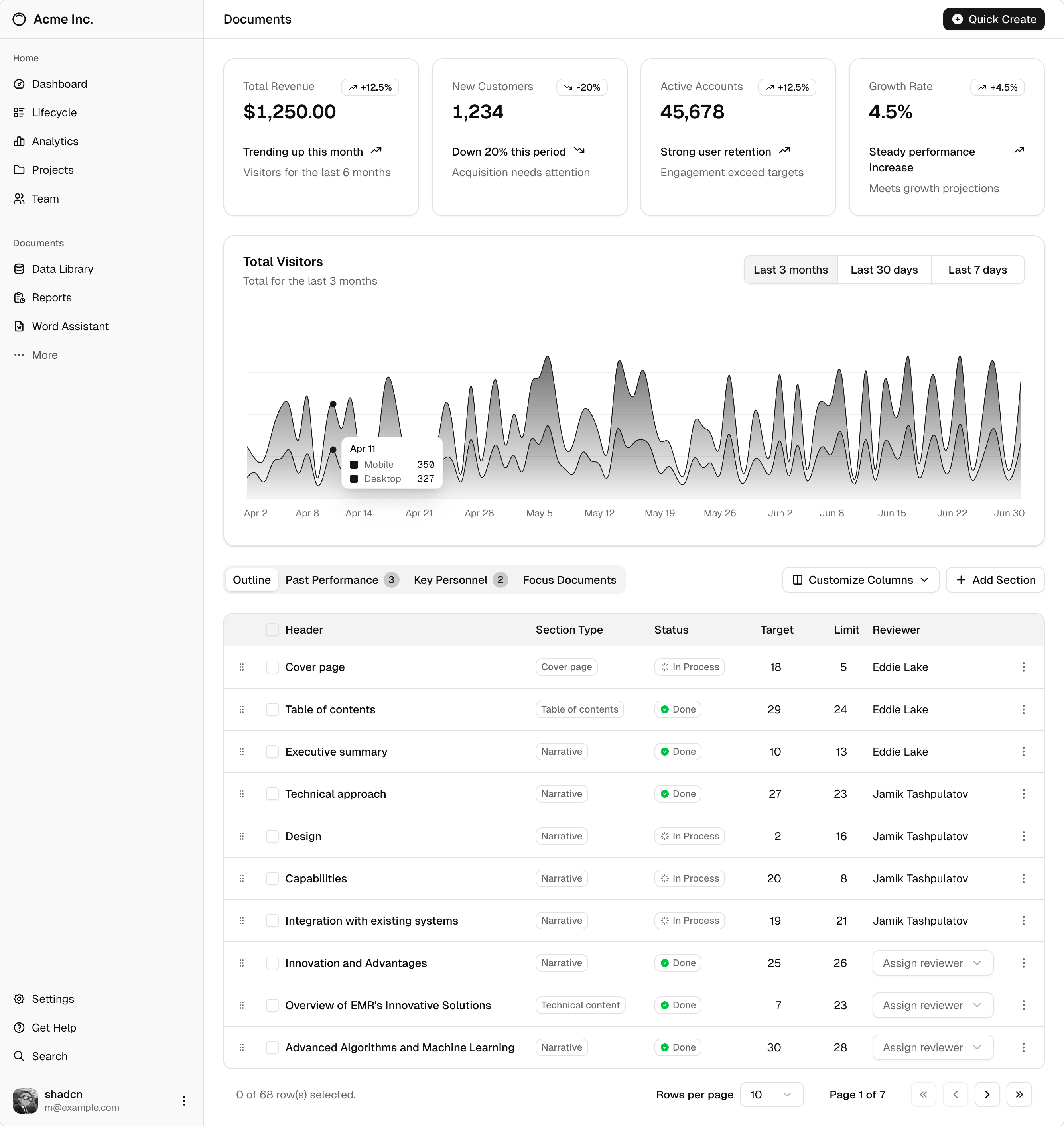 Open official example
Official example: navigation, summary cards and a data table.
View image sourceThese official shadcn/ui component examples show possible layouts and styles. They were not generated from the prompts below; your page will depend on your brief and project theme.
AI coding assistants with local skill support
- Codex
- Claude Code
- Cursor
- GitHub stars
- 126,761
- Version
- 4.23.0
- Checked
- Categories
- Engineering
Start with one settings page.
Bring a field list and complete the input, error and save flow first. Choose the dashboard for business data, theming for an existing interface, or updates when customized components need upstream changes.
Pick a task and get started
One skill, four ways to use it. Choose a task, install the skill, copy the prompt and check the result.
Start with a profile settings page and complete its input, validation and save flow.
Install the official shadcn skill
Run this in your project directory and select your AI client. If multiple skills are listed, choose shadcn. All four tasks use this one skill; you only need to install it once.
Read the author’s setup guidenpx skills add shadcn/uiProject not set up for shadcn/ui yet?
Installing the skill gives your AI instructions. If your project has no components.json, initialize shadcn/ui for your framework before sending the task below. Already configured? Continue to the prompt.
Open the project setup guideGive your AI this first task
Open the project in the AI client where you installed the skill, attach your materials and send the prompt. These examples were written by Atlasnote from the official guidance; adapt them to your needs.
Use the shadcn skill to build a profile settings page with display name, email and an email-notification switch. I will provide field requirements and a save endpoint; without an endpoint, clearly label it as a local demo. Read the project configuration and component docs, reuse existing components and the theme, then add what is missing. Include validation and pending, successful and failed saves. Deliver a runnable page after checking keyboard use and mobile layout in a browser.
Check what you receive
- Fields, defaults and the notification switch match the brief, with component source in the project.
- Invalid input, pending, successful and failed saves can be checked; demo behavior is clearly distinguished from real saving.
- Controls work with a keyboard, labels and errors are associated correctly, and the mobile page does not overflow.
More about this skill
shadcn/ui supplies component source you maintain in your project. Its official shadcn skill guides the AI using that code. It reads the framework, import aliases, installed components and base library, then checks documentation before working within the actual project configuration.
The value is in composition and consistency: forms use the right field structure, dialogs retain titles and focus behavior, and colors follow the project theme. APIs differ between libraries such as Base UI and Radix, so the project configuration matters. You can edit the component source; required dependencies are still installed through a package manager.
The official instructions also cover component discovery, custom registries, theming and update comparisons. MCP provides another way to search for and install components; configure it when the task calls for it.
Sources and verification
Sources checked
Checked against the official skill, setup docs and task rules. Images come from the official repository. Atlasnote wrote the prompts and has not tested each generated result.