Impeccable
Give interface improvements a clear purpose
Start with one page or component. Review its usability and technical quality, handle difficult states, and finish the details with the product’s purpose in view.
 Open the original image
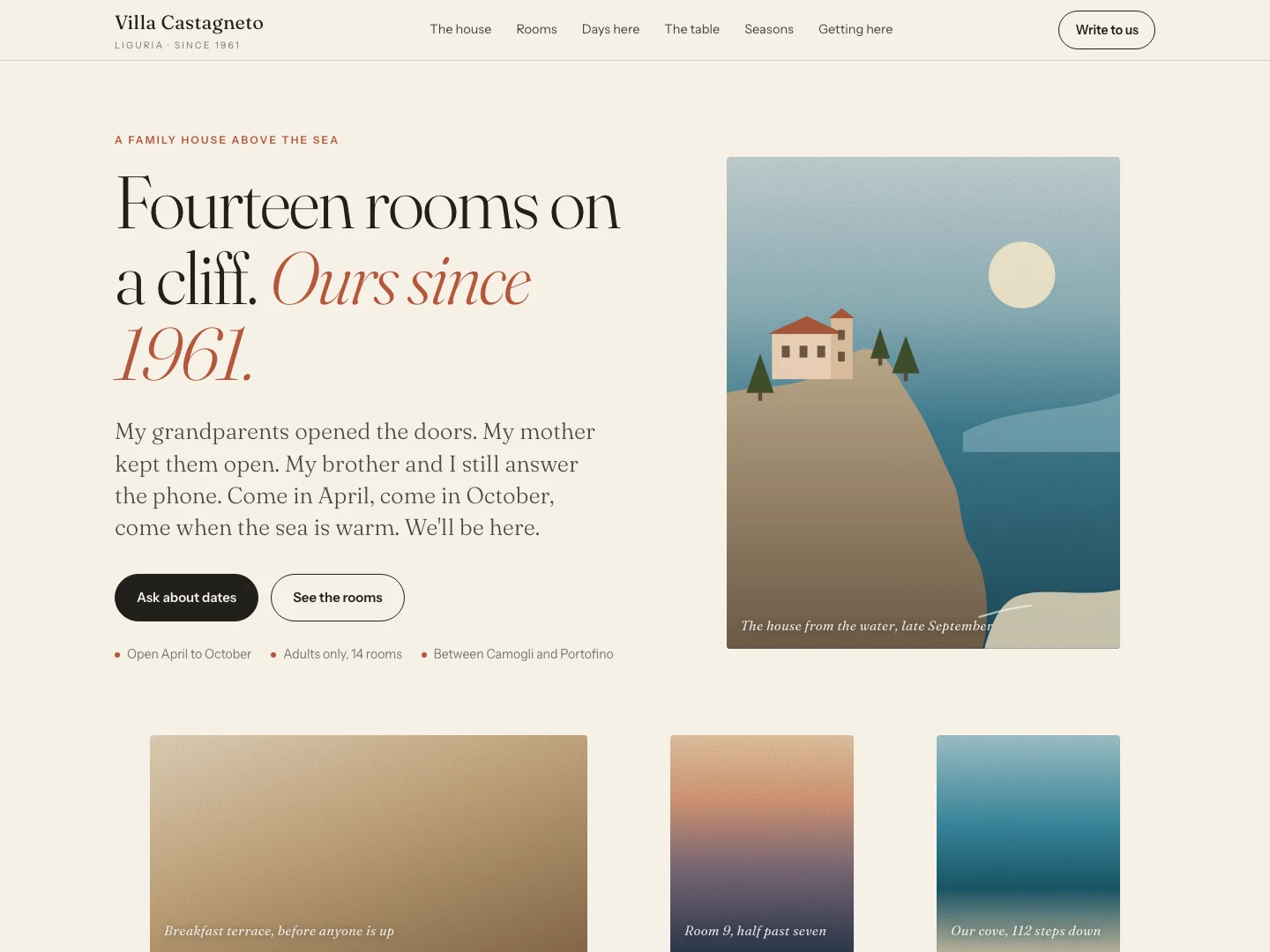
A cream background, fine serif type, pill buttons and separate image sections establish a different composition.
Read the author’s comparisonComparison images from the author’s README. The author describes the same model and brief: a fourteen-room family guesthouse on the Ligurian coast. They illustrate different visual directions, not our controlled test or a guarantee of quality or business results.
Hosts listed by the author
- Claude Code
- Codex
- Cursor
- Gemini CLI
- GitHub Copilot
- OpenCode
- Kiro
- Antigravity
- Trae
- GitHub stars
- 95,711
- Version
- 4.8.0
- Checked
- Categories
- Design & VideoEngineering
Review one component before choosing the fix
Start with critique on an existing component to understand where users may struggle. Add audit for technical quality, agree on the scope, then choose harden, clarify or polish. Recheck the real flow afterward.
Pick a task and get started
Run the command in an interactive terminal at the project root and read the hook choice; an existing choice is reused. Reload the assistant after installation. The CLI is pinned to 4.8.0, but installation fetches the current published skill bundle. Check the version in the installed SKILL.md as well.
Assess whether people can compare options, understand the price and take the next step.
Install the skill and detector entry point
Install into Claude Code from the project root. A first interactive install offers detector hooks; existing choices are reused, and non-interactive runs may enable them without a prompt. Reload afterward. Version 4.8.0 pins the CLI, while the skill bundle comes from the author’s current release endpoint.
Read the author’s setup guidenpx [email protected] install --providers=claude --scope=projectFirst use: establish context, review a component, check the findings
After installation, run /impeccable init in the assistant’s chat. Have it read existing project material and ask only for missing goals or constraints; confirm the facts before creating PRODUCT.md. Use /impeccable document to capture an existing visual system from real code, confirming how to merge or replace any current DESIGN.md. Then copy the first task with a component and preview route. Check the report’s locations, reproduction steps and reasoning before choosing changes. Missing context files need not block a clearly scoped minor fix.
Read the initialization workflowGive your AI this first task
These are editorial task prompts. First prepare brief.md with the target files and route, startup steps, audience, primary action, confirmed facts and scope limits. This is your task input, not an installer-provided file. Use test data and mark checks complete only when they actually ran.
/impeccable critique the pricing component and preview route specified in brief.md. Read the current product and design context. Establish the audience, plan facts, billing period and primary action; identify missing information without inventing discounts or promises. Inspect the actual page for hierarchy, plan comparison, button meaning, key conditions and desktop/mobile reading. Present design judgment separately from deterministic findings. Give locations, impact and evidence; explain the applicable heuristics and scoring denominator, and do not describe simulated user perspectives as real interviews. Use isolated review agents as the skill specifies when available. Otherwise finish the independent design assessment before the detector pass and synthesis. State the method or degraded single-context run on the report’s first line. Deliver the full report and priorities in chat, then archive the snapshot under .impeccable/critique/ as the skill specifies and provide its path if saved. A file link does not replace the report. Ask about the improvement scope last, based on actual findings. Do not edit code in this task. Mark anything you could not open or operate as unchecked.
Check what you receive
- A component-specific review of obstacles to understanding and choosing a plan, with concrete locations and reasons.
- Design judgment, detector findings and unchecked items stay distinct. The full report appears in chat, with a snapshot path when saved for later work.
More about this skill
Paul Bakaus’s Impeccable combines interface design guidance for coding assistants with a command-line detector and an optional browser extension. It is particularly useful for improving existing work: name a target, establish the problem and choose an action. The current table lists 24 commands, including the deprecated craft alias; these are not 24 separate skills to install.
The surface’s job determines its design priorities. Marketing pages help visitors understand and decide; workspaces support accurate operation; documentation supports reading; showcases let the work lead. Different surfaces in one product can have different priorities. A settings form does not need to become a promotional page to show design care.
PRODUCT.md captures the product, users and constraints, while DESIGN.md records the visual system. Refinement preserves confirmed identity, content and behavior; replacing the visual direction calls for an explicit redesign brief. Detector findings are prompts for investigation, not a substitute for brand judgment.
Sources and verification
Sources checked
Reviewed the entry point, five task guides, initialization, design documentation and detector instructions, and compared 4.8.0 release content and installation code. No third-party installation, scan, model review or live session was run. Author examples are not our test results.