Deep Research Skills
Define objects and fields, then investigate in batches
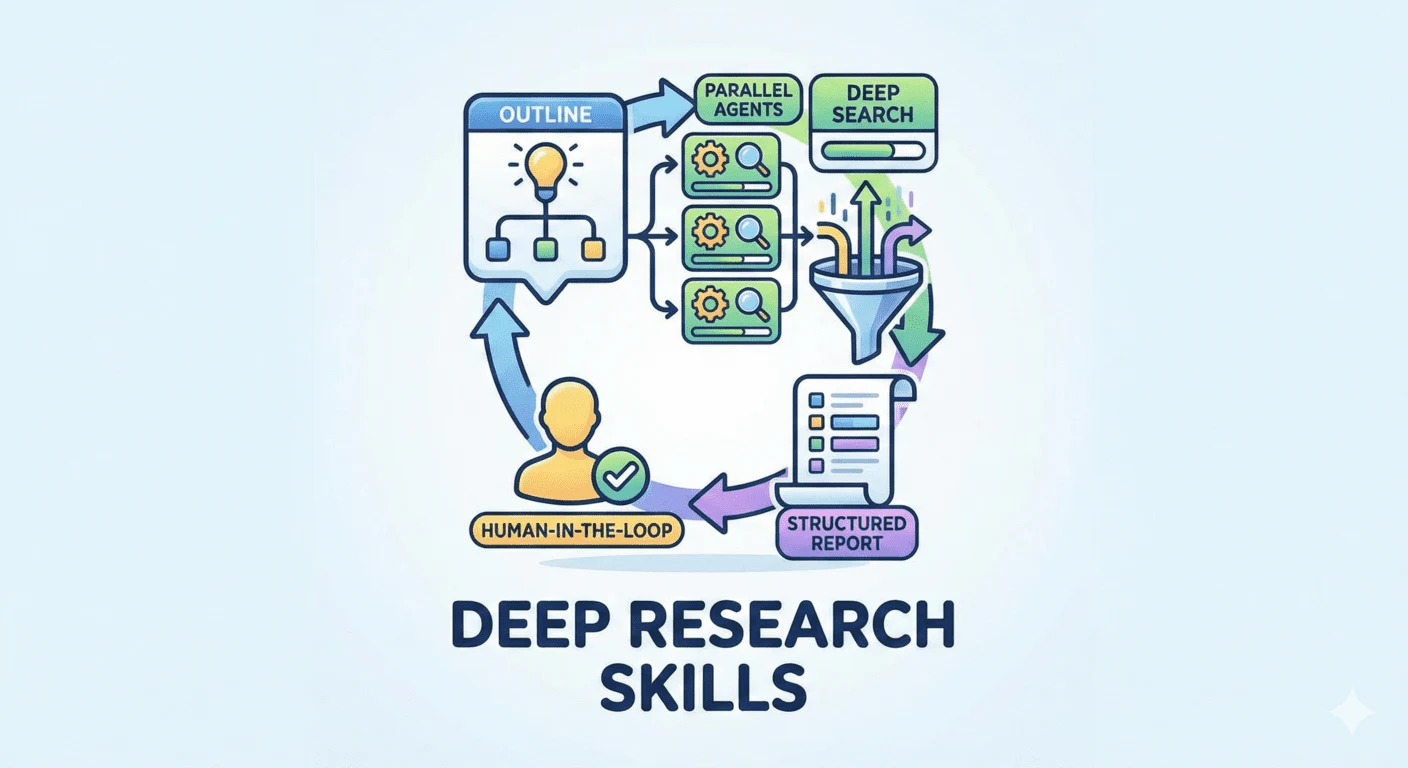
Weizhena’s five research Skills turn a topic into an editable item list and field definitions, investigate items into JSON, then assemble a separate Markdown report. Useful for comparisons and surveys that need consistent questions and traceable gaps.
Hosts listed by the author
- Claude Code
- Codex
- OpenCode
- GitHub stars
- 2,441
- Checked
- Categories
- Writing & ResearchContent & Knowledge
Useful when the comparison criteria matter as much as the answer
Use it when each object needs the same set of questions: a tool shortlist, a paper survey or a competitor inventory. You retain item-level data and can add criteria before continuing. Approve a small outline and inspect the first batch of JSON before increasing the scale.
Pick a task and get started
These three tasks form a sequence: approve the outline, authorize investigation, then assemble the report. You can stop after the first task; later tasks need the actual files from the earlier stages.
Start with three candidates and stop after the outline. This is an editorial research exercise, not a prewritten evaluation of these tools.
Install the complete Skills and research agent
Choose one language, copy all five Skills plus the agent and modules, and prepare the Python dependency. The pinned Claude Code path below uses English; see the client-specific notes before using Codex or OpenCode.
Read the author’s setup guideClaude Code in English: install the full set, then open a workspace
First check whether ~/.claude/skills already contains research, research-add-items, research-add-fields, research-deep or research-report, or whether the research agent has local changes to preserve. Copying updates files with the same names. These commands pin the reviewed commit, create a Python environment and open research-workspace beside the repository. Check the five entry points and web-search-agent before using the first task. Install only one language: replace research-en with research-zh for Chinese. In future sessions, activate this repository’s .venv before entering the workspace and launching the client.
Read the author’s installation stepsgit clone https://github.com/Weizhena/Deep-Research-skills.git deep-research-skills cd deep-research-skills git checkout 6ce38f60e3f8b22502c29873f96503a4e0c5addb python3 -m venv .venv source .venv/bin/activate python -m pip install pyyaml mkdir -p ~/.claude/skills ~/.claude/agents cp -r skills/research-en/* ~/.claude/skills/ cp agents/web-search-agent.md ~/.claude/agents/ cp -r agents/web-search-modules ~/.claude/agents/ mkdir -p ../research-workspace cd ../research-workspace claudeGive your AI this first task
Examples use the English Claude Code Skills. Open the client in the research workspace and use real paths. Deliverables are expected outputs; no third-party research workflow was executed for this page.
/research Browser regression testing for a small team I installed the English Skills, web-search-agent and strategy modules using this page, and opened Claude Code in an empty research-workspace. First check that the five Skills, research subagent, web search and a Python interpreter that can import yaml are available. Identify anything missing. Start with Playwright, Cypress and WebdriverIO. We maintain one web application and want to compare running tests in our existing CI and investigating failures. Do not install these tools or run benchmarks. Get the current date first. Use sources from the last 12 months, with current product behavior checked against official documentation as of the search date. Show proposed objects and fields first; ask before adding candidates. Put the time window and purpose into item descriptions or field definitions so downstream agents receive them. Create browser-testing/outline.yaml and fields.yaml. Suggested fields: name, official_url, checked_on, core_license, ci_execution, debugging_artifacts, setup_requirements and sources. In sources, associate key fields with original URLs, supporting content and access dates; distinguish facts from inference. Use fields → category name → a list of dictionaries containing name, description and detail_level. Do not add required markers for this exercise; use flat JSON results later. Confirm batch_size=2 and items_per_agent=1. Set execution.output_dir to the absolute path of browser-testing/results. Show the full paths, item count and field definitions for my approval, then stop at the outline.
Check what you receive
- Expect browser-testing/outline.yaml for objects and execution settings, plus fields.yaml for field definitions and detail levels. Per-item findings do not exist yet.
- Check candidates, time scope, source fields, two parallel agents and one item per agent. Confirm the output directory belongs to this topic and the field schema matches the validator.
- Use /research-add-items or /research-add-fields to revise and approve the plan before starting the deep investigation.
More about this skill
This collection separates research into five explicit entry points. /research first proposes objects and fields from model knowledge, then asks a research agent to supplement them through web search. After your review, outline.yaml records the objects and batch settings, while fields.yaml defines what to learn about each object and how much detail to collect.
The plan remains editable. /research-add-items extends the object list, and /research-add-fields adds comparison criteria. Once approved, /research-deep gives agents the shared field definitions, writes one JSON result per object and runs a field-coverage check. batch_size means parallel agents; items_per_agent controls how many objects each handles. The instructions call for approval between batches and describe resuming by skipping completed JSON files.
/research-report is a separate step. It generates generate_report.py from the results, runs that script and writes report.md with an anchored table of contents and grouped details. The contents can include short metrics present in the data. Unknown values are omitted from the body, which makes raw JSON and an explicit gap list valuable companions to the report. A synthesis of published material is not evidence that the products were tested.
The repository includes Chinese and English directories for Claude Code/OpenCode and separate Codex directories. This page uses the complete Claude Code setup for a first run and explains issues to check in the current Codex/OpenCode configuration. It is a different project from 199-biotechnologies’ Claude Deep Research: this collection centers on an editable object-and-field matrix; the other project centers on evidence records, claim verification and a multi-stage analytical report.
Sources and verification
Sources checked
Documentation, Skills, agents, modules and validators checked at commit 6ce38f60e3f8b22502c29873f96503a4e0c5addb. This page reports source review and static checks only.