Remotion
Describe frames with React, inspect them in Studio, then render video or images. The same visual component can also power an interactive preview in a web app.
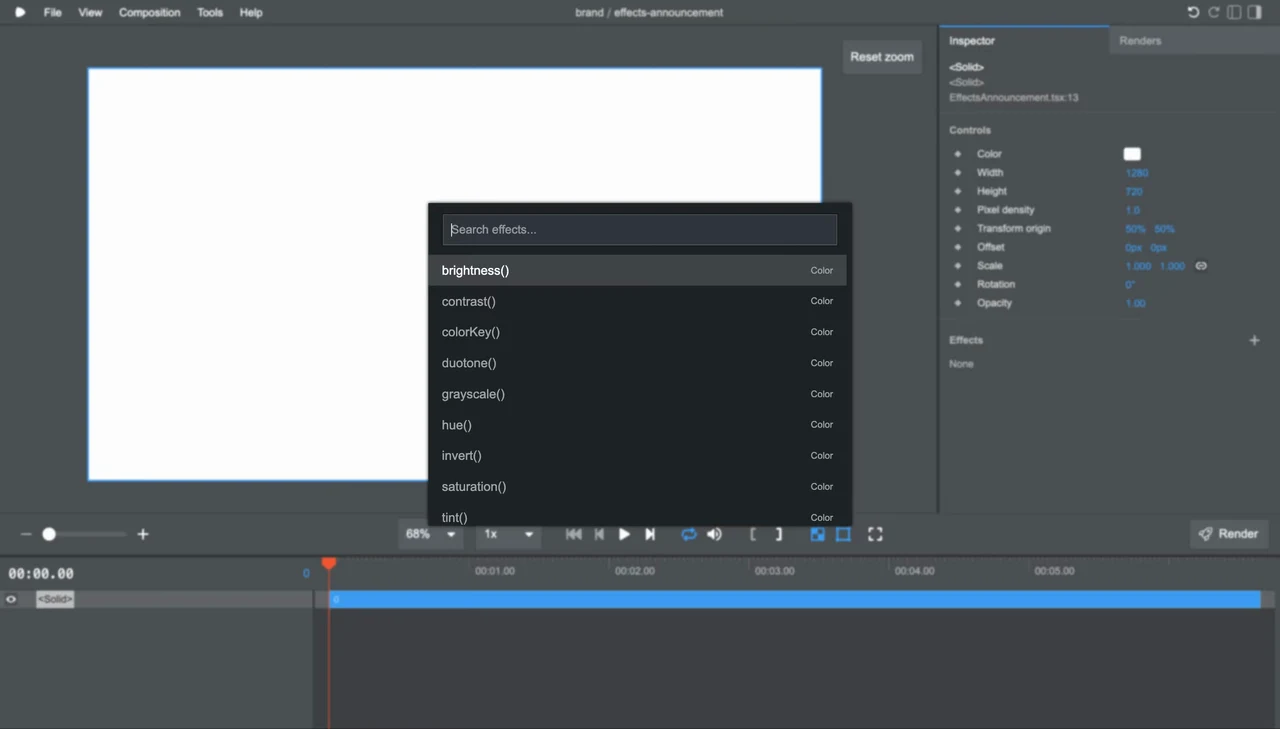
Project demo
View example source- GitHub stars
- 68,959
- Version
- 4.0.539
- Checked
- Categories
- Design & VideoEngineering
Finish one six-second video before reusing its template.
Start with a text card and explicit dimensions, frame rate, duration and output path. Check both Studio and the final MP4 before adding JSON inputs or a web integration, so you can locate problems in the content, code or rendering environment.
Pick a task and get started
Choose a parent directory outside an existing project and confirm that remotion-card does not already exist. Run the setup commands, finish dependency and skill setup, then start with the first task. The third task requires an existing React app with skills configured in that app directory; a Blank video project does not supply an app route.
Bring a title, one supporting line and an accent color. Build a 1280×720 card at 30 fps for six seconds, inspect the preview, then explicitly export an MP4.
Create a separate Blank project
Use Node.js 24, npm and Git. Run outside an existing project with an unused remotion-card directory. This pins create-video to 4.0.539 and selects Blank without Tailwind or Agent Skills. The creator still fetches a remote template and the current latest Remotion dependencies; check the result and retain its lockfile as described below.
Read the author’s setup guidenode --version git --version npx [email protected] --yes --blank remotion-card cd remotion-cardCheck dependencies and load the skills
The creator attempts to install npm dependencies automatically. If that step fails, fix the cause and run npm install inside remotion-card, then run npx remotion versions. For agent-assisted work, run the skill command below in the project, select your actual host, project scope and the required skills (all is a reasonable first selection). Confirm that remotion-create, remotion-markup, remotion-studio and remotion-render are accessible. Run npm run dev; the initial Blank template is expected to show an empty canvas. You can skip skills when writing React yourself.
Read the official skill guidenpx [email protected] add remotion-dev/skillsGive your AI this first task
These are editorial task examples based on the author's documentation, not author-produced videos or outputs tested by this site. Finish setup, replace the inputs and send a prompt to an agent that can work in the project.
/remotion-create Work in the remotion-card project created with this page's setup steps. Read the existing files, package.json and installed Remotion guidance first. Preserve my other changes and do not create another project. Use this editorial sample: title="One template, many updates", subtitle="Plan, progress, next step", accent="#2563EB". Use text and geometric shapes only, with no voice generation, external assets or generation services. Set the composition to 1280×720, 30 fps and 180 frames (six seconds). Fade the title in over the first 15 frames, then keep it readable through the final frame. Drive animation with useCurrentFrame() and interpolate(), not CSS animation or wall-clock time. Put the reusable visual component in src/Card.tsx with title, subtitle and accent props. Preserve the registerRoot chain in src/index.ts. Register a Composition with id="Card", explicit dimensions, frame rate, duration and defaultProps in the root, replacing the empty MyComp. Check that the selected font contains every character. If another font is required, identify the missing asset and use a local font I supply and have permission to use. Run npm run dev from the project directory. Open the exact Studio URL printed by the terminal, select Card, play it and inspect frames 0, 15, 90 and 179 for text, margins, the fade and the final state. If this agent cannot open a browser, provide the URL and checklist and wait for my actual review before proceeding; do not claim to have viewed it. I explicitly want an export. In another terminal, run npx remotion still src/index.ts Card out/card-90.png --frame=90 --overwrite=false, then npx remotion render src/index.ts Card out/card.mp4 --codec=h264 --overwrite=false. If a file already exists, preserve it and choose a new output name. Open the PNG and MP4 and check the actual picture, 1280×720 resolution, 30 fps and approximately six-second duration. No audio track is expected. Deliver source, the lockfile, npx remotion versions output, file paths and actual inspection results. Identify any installation, font or rendering failure instead of treating a working preview as a completed export.
Check what you receive
- A React project with Card registered and explicit dimensions, timing and editable text.
- out/card-90.png and out/card.mp4 after successful execution, with preview, file-specification and playback checks.
- The lockfile, installed versions and commands needed to repeat the render.
More about this skill
Remotion treats a video as a runnable React project. Components define the picture, the frame number drives animation, and a Composition registers dimensions, frame rate and duration. You can write TypeScript yourself or ask a coding agent to follow the official guidance; you still supply or approve the material, wording and visual decisions.
Its entry points produce different things. Studio provides playback, timeline seeking and editing for supported source structures. The CLI renders a specified Composition into an MP4, still image or other output. Player embeds the same visual component in a React app with live inputs. It is not an encoded video, and a playable page does not automatically produce a downloadable file.
This page covers the remotion-dev/remotion tool. The author maintains guidance under packages/skills in the main repository and distributes skills through remotion-dev/skills; project creation can also offer to install them. Installing npm dependencies does not mean your coding agent has loaded the skills. For focused guidance on maps, captions and other jobs, see the companion Remotion Agent Skills page.
Sources and verification
Sources checked
Reviewed the pinned README, skills, installation implementation, task documentation and current licensing information. We did not install or run Remotion, render videos or verify finished-video quality for this review.