Mengli Personal IP Asset System
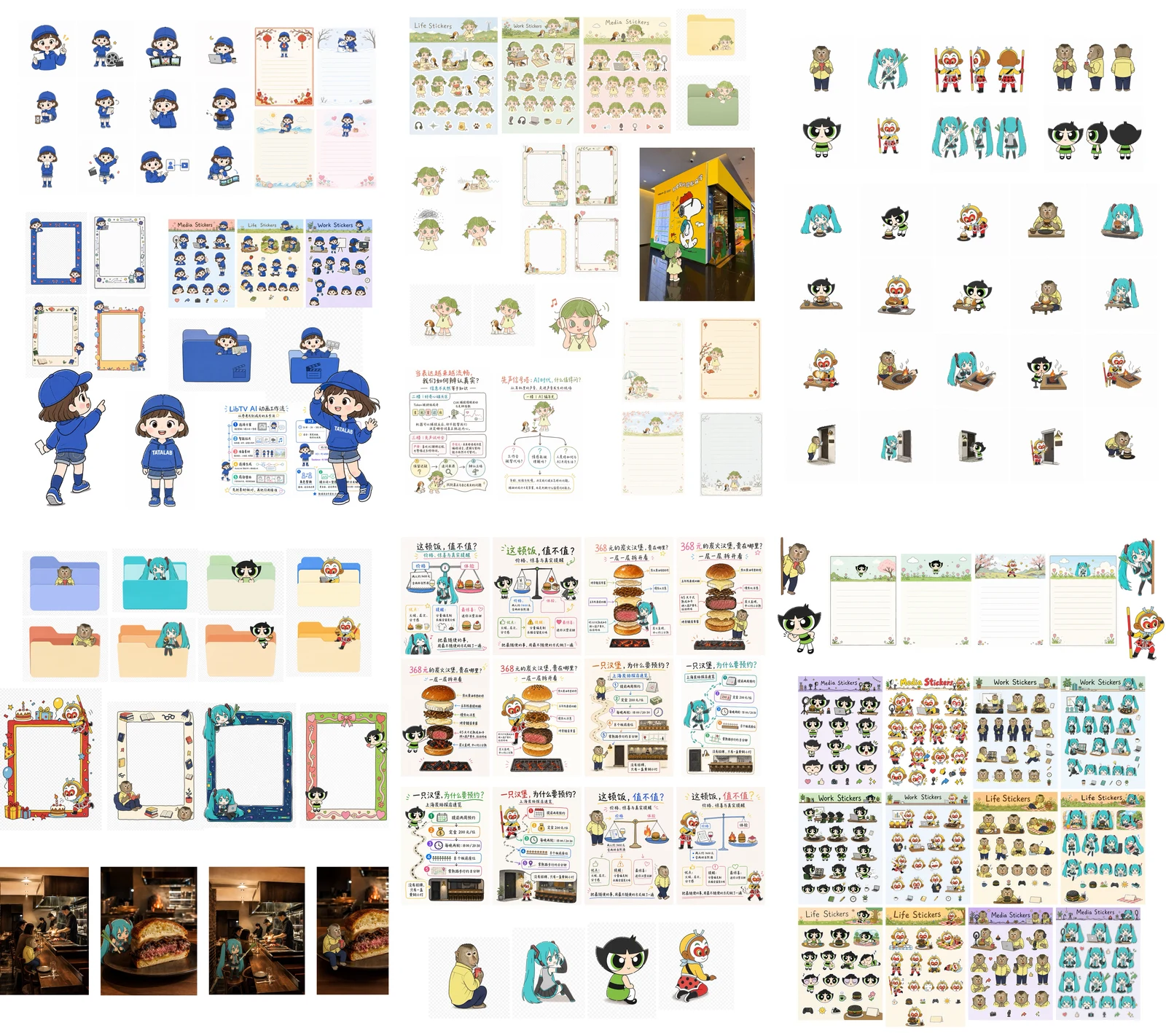
Approve a character once, then carry the same identity into articles, infographics, photographs, desktop icons and reaction images.
Hosts listed by the author
- Codex
- GitHub stars
- 382
- Checked
- Categories
- Design & VideoContent & Knowledge
Recognize the character before expanding the collection.
Start with a front view and turnaround. Approve the hair silhouette, face, clothing and identifying accessories, then reuse that anchor. Label each attachment as identity, edit target, layout or style reference.
Pick a task and get started
Run the installation commands in the workspace where you will keep your character assets, with an unused destination directory. They download the repository and pin the reviewed commit without running its Python scripts. Open Codex in that same workspace afterward.
Provide a clear identity image and fixed traits. Approve a front view before making the front, side and back turnaround.
Put the complete skill in your project
Requires Git and an unused destination. Retain references, scripts and agents. This combines the author’s repository download with Codex’s project skill location and pins the reviewed commit. The host must separately provide any image tool.
Read the author’s setup guidegit clone https://github.com/EverettFish/ip_illustration_for_yourself.git .agents/skills/ip-illustration-character-system git -C .agents/skills/ip-illustration-character-system checkout 6b0cb54e63fb270bb0c966991795d89d15499e76Check skill discovery and tools before the first image
In Codex CLI or the IDE extension, use /skills or type $ to find ip-illustration-character-system. If it is missing, check the directory’s SKILL.md and restart Codex if necessary. Ask the assistant to read the entry and core-style-and-identity.md and identify its available image tools. Keep your inputs and outputs under ip-assets/ in the workspace, outside the packaged reference library.
Codex local skill discovery and invocationGive your AI this first task
These are editorial task examples. Paths and filenames are suggested working conventions, not files the skill automatically creates. Supply your own inputs first. If no image tool is available, retain the plan and prompts and mark the images as not generated.
$ip-illustration-character-system I installed the complete skill using this page’s instructions. In the current workspace, ip-assets/inputs/identity.png is the only identity source. Read SKILL.md and references/core-style-and-identity.md first. Confirm that the input is readable and whether an image tool is available. If the image is missing, identify that file; do not substitute a packaged character. Write a compact identity checklist from visible traits: hair silhouette, bangs and side locks, face and eyes, skin, outfit and shoes, accessories, proportions and signature colors. Separate fixed traits from scene-dependent ones. Record only visible or confirmed details; ask about unclear details that would change the identity. Generate a square, pure-white, front-facing full-body Mengli anchor. The complete character should occupy about 25–35% of the canvas, with no cropped head or feet, text or extra character. Packaged examples guide mark-making and simplification only; do not borrow their ears, hair, clothing or colors. Show the front view and save it as ip-assets/anchor/front.png. After I approve its identity, reuse it for one horizontal front/side/back turnaround saved as turnaround.png, without view labels. Compare hairstyle geometry, face, clothing, accessories, colors and proportions across both files. Save the accepted fixed traits as ip-assets/anchor/identity-lock.md and deliver actual file paths, reference roles and unresolved issues. Reuse this lock later, retain approved originals and correct only failed items. If no image tool is available, save the identity checklist, a complete prompt for each image and the reference list under ip-assets/prompts/. State that character images have not been generated or approved; do not claim an anchor exists.
Check what you receive
- An approved front-view image and a consistent horizontal turnaround, after actual generation.
- A reusable identity lock, reference-role list and image paths.
- Comparison results, or a clearly marked prompt package when generation is unavailable.
More about this skill
IP Illustration for Yourself contains one skill named ip-illustration-character-system. The author’s Mengli style combines irregular pen contours, small offsets between outlines and color, and clean flat fills. Its main purpose is to establish a reusable character identity and adapt its composition, actions, text and spacing to each use.
The pinned source defines 11 routes: anchors, article illustrations, infographics, photo fusion, sticker sheets, folder icons, letter paper, Polaroid frames, scene avatars, expression packs and reference-meme subject replacement. They share an identity anchor, not one universal composition. Article illustrations explain an idea, reactions emphasize the character, and photo fusion requires interaction with something in the photograph.
Inside Codex, the skill uses an available image-generation or editing tool without requiring a particular underlying model name or version. Outside Codex, or without an image tool, it prepares plans, complete prompts and required references. Installing the skill does not add an image service, provide credits or grant rights to reference material.
Sources and verification
Sources checked
Reviewed the pinned Chinese and English READMEs, skill entry, all route guides and both scripts, and visually inspected five original reference images. We did not run the author’s scripts or call an image service, and have not verified generation quality.